How to Make AI Videos for Ads: A Step-by-Step Workflow
 14 min read
Knowing that AI video ads work is one thing. Producing them consistently, week after week, is another. This is the exact, repeatable workflow we use to make AI videos that convert, from the first line of the hook to the final export, without an expensive studio, a film crew, or a two-week turnaround.
New to the concept? Start with our complete guide to AI video ads for the strategy. If you already know why you are doing this, let's build one, step by step.
In short: a good AI video ad = a strong hook + the right base footage + a retention-first edit + a testing loop. The tools matter far less than the workflow you run them through, a great workflow with average tools beats average workflow with great tools every time.
What you need before you start
You do not need much, but you do need these four things clear in your head before you touch a single tool:
- A clear offer & audience, who it is for and the one promise you are making. Vague offers make vague ads.
- A hook idea, the specific first three seconds that will stop the scroll. Write it before you generate anything.
- A source of footage, product clips, an AI avatar, AI b-roll, or a mix. Decide the lightest path to watchable footage.
- An editor, an AI-assisted editor or a person who can cut for retention. This is where raw clips become ads.
A useful mental model: you are not "making a video," you are running a test. Everything below is optimized for shipping many testable ads quickly, not for producing one perfect film.
Step 1, Nail the hook and script
The hook is not part of the ad, it is the ad. If the first three seconds do not land, the algorithm never shows the rest to anyone. Spend a disproportionate amount of your time here.
Write hooks like you talk
Read your hook out loud. If it sounds like a brochure, rewrite it. The best hooks sound like a friend leaning in to tell you something. Lead with tension, a bold claim, or a pattern interrupt, and make the payoff visual, show, don't just say.
Hook patterns that reliably work
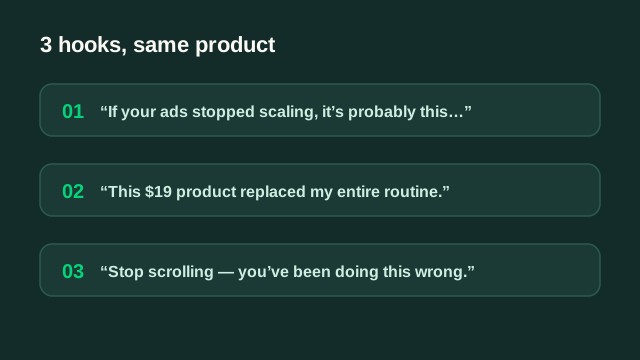
- Problem callout: "If your ads stopped scaling, it's probably this…"
- Result-first: "This $19 product replaced my entire routine."
- Pattern interrupt: an unexpected visual or statement in frame one.
- Us vs them: "Stop doing X. Do this instead."
- Curiosity gap: "Nobody tells you this about [category]…"
A simple script frame
For most direct-response ads, PAS works: Problem (name the pain), Agitate (make it real), Solution (your product, with proof). Keep it to 40–70 spoken words for a 15–20 second ad. Write three hook variations for every script, same body, different opening.
Step 2, Generate the base footage
Pick the lightest way to get watchable footage for your angle. You rarely need cinema quality, you need clarity and momentum. Match the method to what you already have:
| If you have… | Use | Best for |
|---|---|---|
| Product but no creator | AI avatar / UGC generator | Talking-head, explainer, testimonial style |
| No footage at all | Text-to-video / image-to-video | B-roll, concept scenes, transitions |
| Existing long content | AI editing / repurposing | Turning webinars, reviews, or clips into ads |
| Raw phone clips | AI cleanup + auto-edit | Native, authentic UGC feel |
Prompting for usable clips
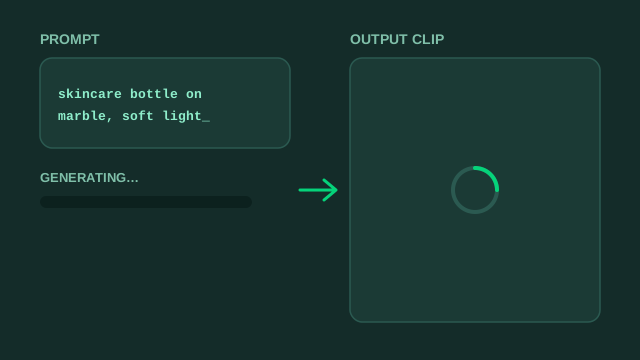
When you generate footage, be concrete: name the subject, the setting, the lighting, and the camera move. "Skincare bottle on a marble counter, soft morning light, slow push-in" beats "nice product video." Generate a few options per shot and keep the one that cuts cleanly, you are collecting ingredients, not final films.
Step 3, Edit for retention
This is where most AI ads fail. A raw generated clip is an ingredient, not a meal. The edit is what actually holds attention and carries the message home.
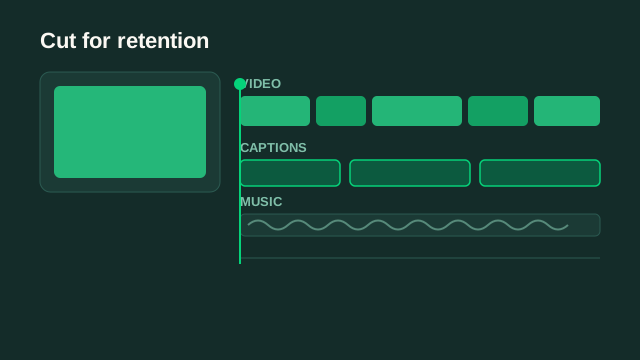
- Cut fast, remove every dead frame; change the visual every one to three seconds so there is always a reason to keep watching.
- Add captions, most feeds autoplay muted, and captions lift both watch time and comprehension. Make them big and legible.
- Reinforce the hook, put the promise on screen as text in the very first frame, not just in the voiceover.
- Design the sound, a driving track and clean voiceover do more for retention than people expect.
- End with one CTA, a single, unambiguous next step and an end card. Two CTAs is zero CTAs.
How to make it not look AI
The tells that break trust are almost always fixable in the edit: cut away from morphing hands and warping text, keep AI scenes short and mixed with real footage, add subtle camera shake or grain to synthetic shots, and never let an avatar hold a single expression for more than a couple of seconds. Used as seasoning, AI is invisible; used as the whole meal, it is obvious.
Step 4, Test and iterate
Ship in small batches, judge on the right metric, and let the data decide. Do not marry a concept, marry the process. Use this diagnostic to know what to change next:
| Signal | What it tells you | Action |
|---|---|---|
| Low 3s hold rate | Weak hook | Rewrite the first three seconds |
| Good hold, low CTR | Weak offer or CTA | Sharpen the promise and end card |
| Good CTR, low CVR | Landing page or offer gap | Fix the post-click experience |
| Winner found | Angle resonates | Spin 10–20 variations of it |
A repeatable weekly workflow
Systematize it so creative never becomes the bottleneck again. A simple cadence any small team can run:
- Monday, pick angles and write hooks (aim for 9–12).
- Tuesday, generate or gather base footage for each angle.
- Wednesday, edit into ads with captions, sound, and CTAs.
- Thursday, launch tests in clean, structured ad sets.
- Friday, read results, kill losers, brief next week's variations of the winners.
Run this loop for a month and you will have tested more angles than most brands test in a year, which is exactly why AI video ads outproduce traditional creative pipelines.
Mistakes that kill AI video ads
- Prompting endlessly for a "perfect" clip instead of editing a good-enough one.
- Leaving obvious AI artifacts in frame, hands, text, morphing backgrounds.
- Skipping captions and a clear CTA.
- Writing one hook per concept instead of three.
- Testing a single variation and concluding "AI ads don't work."
Skip the workflow, we run it for you
EditClub scripts, generates, and edits your AI video ads with 48h delivery. Get 3 free concepts and see the retention-first editing in action.
Get 3 free ad concepts