How to Make TikTok Video Ads with AI (Step-by-Step)
 12 min read
TikTok punishes anything that looks like an ad. It rewards native, sound-on, fast content, and it needs a lot of it, because creative fatigues even faster here than on Meta. The problem: filming enough native TikToks every week is exhausting. The fix is to create your TikTok video ads with AI, generating and editing native-feeling ads at volume, without a camera or a creator.
This is the exact, repeatable workflow to make TikTok ads with AI that actually blend into the feed and convert. New to AI ads in general? Start with our complete guide to AI video ads. Otherwise, let's make one.
In short: a winning AI TikTok ad = a 1-second hook + a native, UGC feel + trending sound + tight captions + one clear CTA. The tool you use matters far less than whether the result looks like organic TikTok instead of a commercial.
What makes a TikTok ad different
The single biggest mistake is repurposing a polished Meta ad and dropping it on TikTok. TikTok is its own format with its own rules, get these wrong and the algorithm buries you:
- Vertical, full-screen 9:16, anything with bars or letterboxing screams ‘ad’.
- Sound-on by default, unlike muted feeds, TikTok plays audio. Music and voice do real work.
- A 1-second hook, even faster than Meta. If frame one doesn't stop the thumb, nothing else matters.
- Native over polished, it has to feel like a real person posted it, not a brand.
- Trends and sounds, riding a trending sound or format buys reach the feed rewards.
| Meta (Reels/Feed) | TikTok | |
|---|---|---|
| Hook window | ~3 seconds | ~1 second |
| Sound | Often muted, captions carry it | Sound-on, music & voice matter |
| Tone | UGC or polished both work | Native / unpolished wins |
| Best length | 15–30s | 9–21s |
| Extra lever | Trending sounds & formats |
What you need before you start
- A clear offer & angle, the one promise this ad makes.
- A 1-second hook idea, written before you generate anything.
- A footage source, an AI avatar, AI b-roll, or a mix, depending on the angle.
- An editor, an AI-assisted editor to cut, caption and add sound fast.
Step 1, Write a 1-second hook
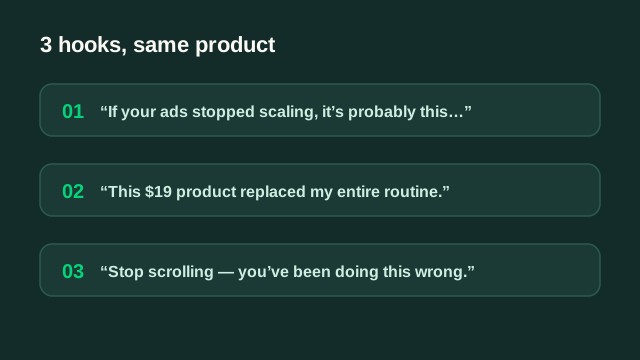
On TikTok you have one second, not three. The hook has to hit visually and verbally at the same time. Write it before you touch a tool, and write three per concept.
TikTok hook patterns that stop the scroll
- Blunt callout: “Stop buying [category] until you watch this.”
- Result-first: “This is why my [product] sold out in 3 days.”
- Native POV: “POV: you finally found a [product] that actually works.”
- Trend hijack: open on a trending sound or format, then pivot to your product.
- Pattern interrupt: an unexpected action or line in frame one.
Step 2, Generate the footage with AI
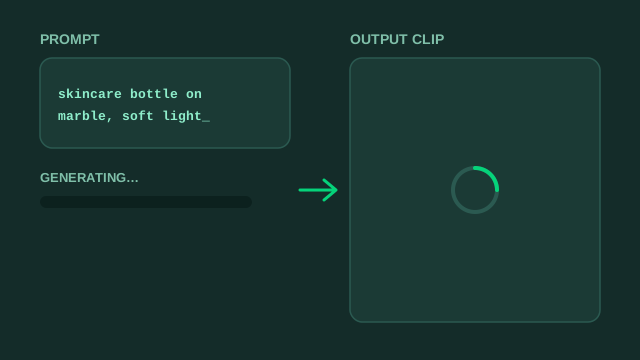
Pick the lightest way to get native-looking footage. TikTok forgives, even rewards, rough, authentic footage, so you rarely need cinema quality.
| If you have… | Use | Best for |
|---|---|---|
| No creator | AI avatar / UGC generator | Talking-head, POV, testimonial TikToks |
| No footage | Text-to-video / image-to-video | B-roll, concept scenes, transitions |
| Existing clips or reviews | AI editing / repurposing | Turning content you own into native TikToks |
| Product images only | Image-to-video | Product demos and reveals |
Prompt concretely, subject, setting, lighting, camera move, and generate several options per shot. Keep the takes that feel like a phone shot it, not a studio.
Step 3, Edit for TikTok
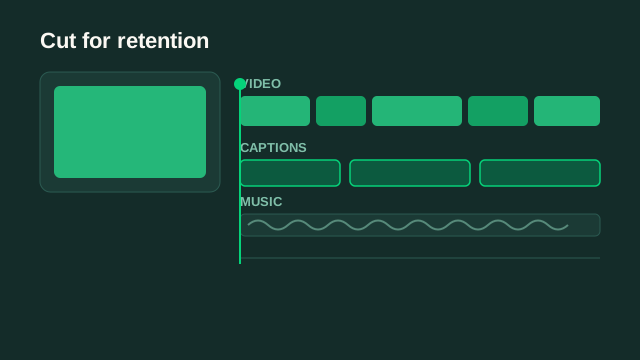
This is where a generated clip becomes a native TikTok ad. The edit is what earns watch time:
- Cut fast, change the visual every 1–2 seconds; TikTok attention is brutal.
- Add a trending sound, or a driving track; sound-on is half the ad.
- Big, bold captions, word-by-word, TikTok-native styling, not tiny subtitles.
- Reinforce the hook, put the promise on screen in frame one.
- One CTA, a single clear next step and an end card.
Make it not look like an ad
The tells that get TikTok ads skipped are fixable: cut away from any AI artifacts, keep AI scenes short and mixed with real-feeling footage, avoid stiff avatar delivery, and lean into native captions and sound. If it feels like something a friend posted, it wins.
Step 4, Launch: Spark Ads vs in-feed
How you run the ad on TikTok matters almost as much as the creative. Two main routes:
| Format | What it is | Best for |
|---|---|---|
| Spark Ads | Boost a post from an organic handle | Native feel, social proof, warm trust |
| In-feed ads | Standard ad from the Ads Manager | Pure scale, fast testing, no handle needed |
A common playbook: test in-feed to find winners fast, then run the best angles as Spark Ads for the extra native credibility.
The tools
You don't need many. A lean stack: one way to generate footage, one AI editor to cut and caption, and a testing process. We compare the categories in the best AI video ad tools, the takeaway is that the hook and offer matter more than any single tool.
A weekly TikTok ad workflow
- Monday, pick angles and write 1-second hooks (aim for 9–12).
- Tuesday, generate native-looking footage for each angle.
- Wednesday, edit into TikToks with captions and trending sound.
- Thursday, launch in-feed tests; shortlist winners.
- Friday, promote winners as Spark Ads and brief next week's variations.
Mistakes that get AI TikTok ads ignored
- Repurposing a horizontal or letterboxed video instead of native 9:16.
- No sound strategy, forgetting TikTok plays audio.
- A slow, 3-second hook borrowed from Meta.
- Obvious AI artifacts or stiff avatar delivery left in frame.
- One variation, then concluding ‘AI TikTok ads don't work.’
Want native TikTok ads without the grind?
EditClub generates and edits your TikTok video ads with AI, native, sound-on, 48h delivery, from $900/mo. Get 3 free concepts built for your product.
Get 3 free ad conceptsCan you use AI to make TikTok ads?
How do I make TikTok ads without filming?
What's the best AI tool for TikTok ads?
How long should a TikTok ad be?
Do I need to disclose AI-generated TikTok ads?
Do all this at volume and TikTok stops being a content treadmill. If you'd rather skip the grind, that's exactly what our AI video ad agency does, native TikTok ads, generated and edited to convert, on a weekly cadence.